
Payroll programme
Convenient for business, reliable for employees
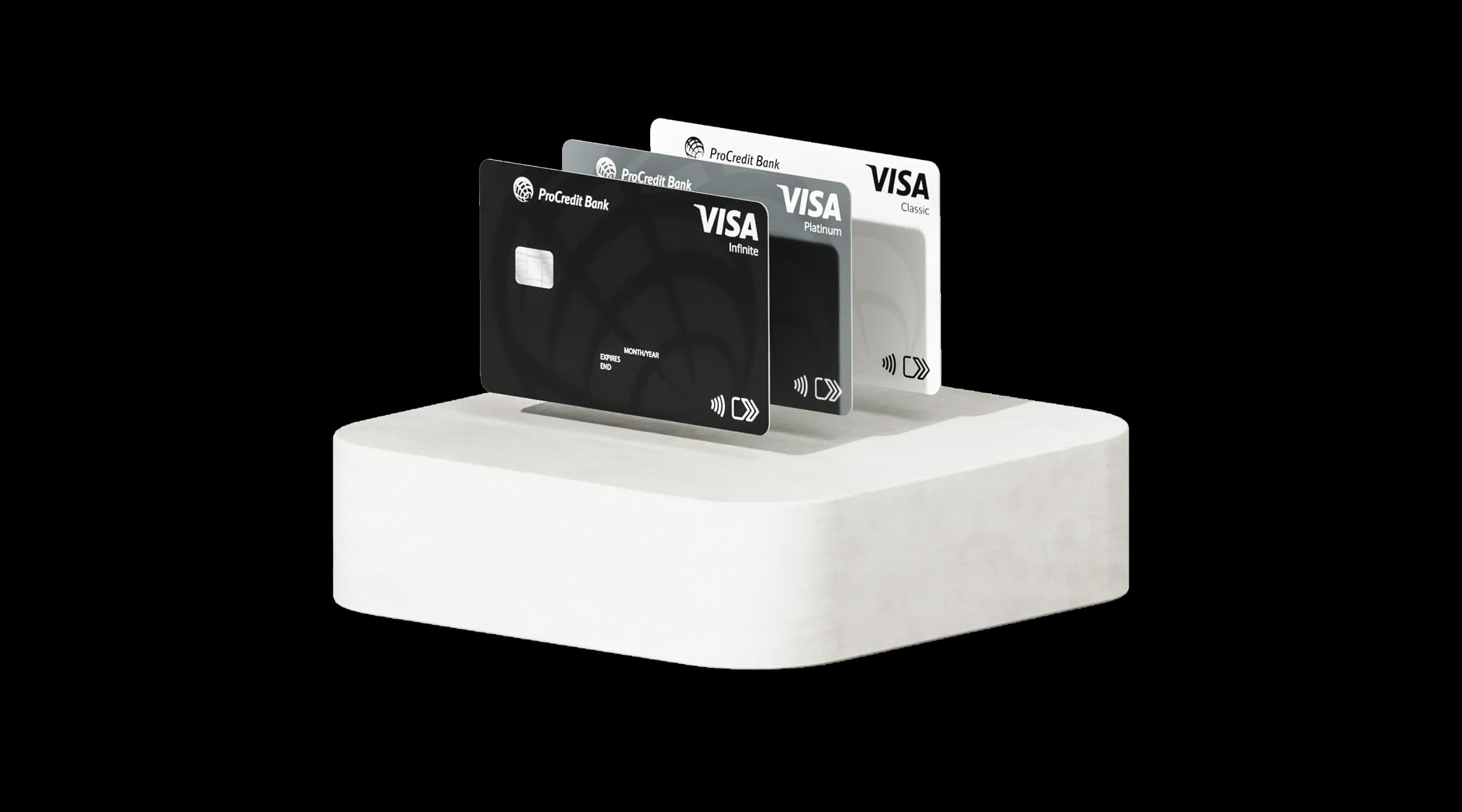
Benefits of the payroll programme at ProCredit Bank

Online setup and management of the payroll programme

Free setup of the payroll programme and transfers to employee accounts

Free maintenance of employee accounts

Prompt resolution of issues online through a dedicated manager

Remote servicing, filling out and sending documents

Fee schedule for salary payment cards
Classic
For everyday needs
Platinum
For extra comfort
Infinite
For maximum freedom
Maintenance fee
Free
Free
or UAH 300 per month
Free
or UAH 1,500 per month
Account opening
Free
Free
Free
Additional currencies included
USD, EUR
USD, EUR
USD, EUR
Currency exchange in the app
Free
Free
Free
No-fee cash withdrawals
Up to UAH 15,000,
then 1% of the withdrawal amount
Up to UAH 50,000,
then 1% of the withdrawal amount
Up to UAH 500,000,
then 1% of the withdrawal amount
Card-to-card transfer fee
1% + UAH 5
0.5% + UAH 5
0.5% + UAH 5
UAH transfers via IBAN details
Free
Free
Free
Credit limit
Premium services
–
Visa Platinum services
Visa Infinite services
How to set up a payroll programme
1. Application
- Fill in the application to set up a payroll programme
- Answer a call from the bank manager for a consultation on service terms and next steps for opening employee accounts
2. Onboarding
- Make sure you have an active account
- Send the following information via internet banking to set up the payroll programme: selected service plan, number of cards, employee details (mobile numbers and scanned copies of passports)
- Sign the payroll programme agreement using a QES
- Choose a convenient method for opening employee accounts
3. Usage
- Fill in the payroll statement using the Excel form and send it via internet banking
- Funds will be credited to the accounts
- Plastic cards will be delivered to employees within 14 business days
To make salary payments via payroll statement, please submit the following to the Bank:
1. Payment instruction for the total salary amount. Transfer the full amount to the transit account with the following details:
IBAN: UA333209840000000000292450001
EDRPOU code: 21677333
Beneficiary: JSC “ProCredit Bank”
Payment details: “Salary payment for... (month, year)”
2. Completed payroll statement
(the template can be obtained upon request via internet banking)
The total amount in the payment instruction must match the total in the payroll statement
How many statements do I need to prepare?
Only one payroll statement is required to process salary payments both to accounts at ProCredit Bank and to other banks. The system will automatically distribute the payments.
The payroll statement must be completed using the template provided by the Bank and submitted via internet banking.
Email subject line: Salary / advance payment crediting. See an example of the payroll statement below.
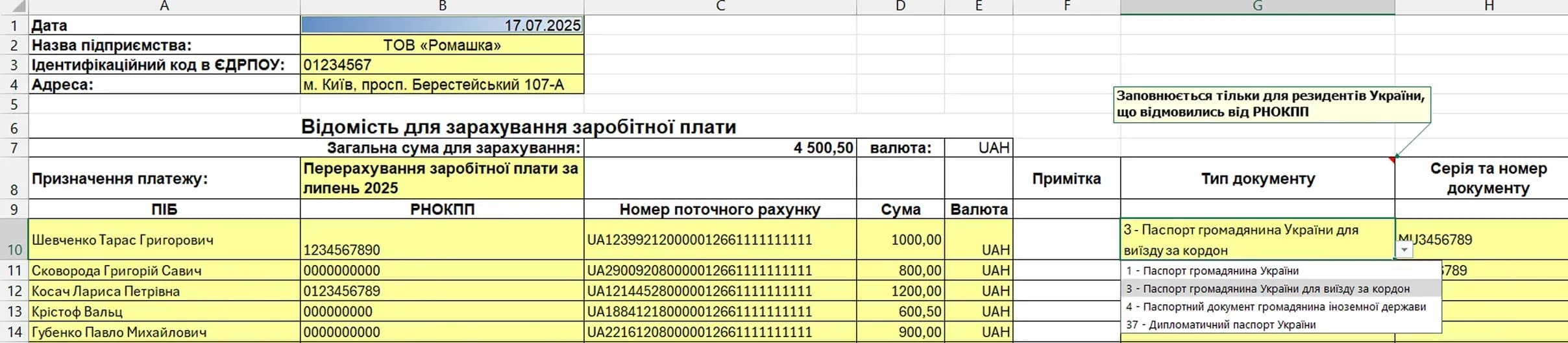
Which fields must be filled out?
Only the yellow-highlighted fields in the template must be completed:
1. At the top of the form, enter the date, the company’s short name (e.g. LLC “Romashka”), EDRPOU code and legal address.
2. In row 8, enter the payment details.
3. Provide employee details:
- Start entering the information from row 10 of the payroll statement.
- In the “RNOKPP” column, enter each employee’s tax number. For non-residents without a tax number, enter 000000000 (nine zeros). For Ukrainian residents who have officially declined to obtain a tax number (e.g., due to religious beliefs), enter 0000000000 (ten zeros).
- In the “Card account number” column, enter the employee’s IBAN account number to which the amount will be credited. Use digits and Latin characters only (e.g., UA543209840000026201111111111), with no spaces at the beginning or end.
- In the “Amount” column, specify the salary amount in UAH for each employee. Use two digits after the decimal point.
- The total salary amount will be calculated automatically and must match the amount in your payment instruction to the transit account.
- In the “Document type” column, select the appropriate type from the drop-down list. In “Document series and number”, provide the ID details of any employee who declined to obtain a tax number. If the RNOKPP field contains a valid 10-digit tax number (not all zeros), leave this field blank. These fields are mandatory for payments to other banks where the employee has declined to obtain a tax number.
- If salary payments are being made to accounts at JSC “ProCredit Bank”, the “Document type” and “Document series and number” fields are optional.
- If the required ID fields are not completed for employees who declined to obtain a tax number, the payroll statement will not be processed.
4. Save the entered data and send the payroll statement.
Documents
FAQs
Funds transferred to employees’ cards opened with ProCredit Bank are credited instantly after the Bank processes the payroll list in online banking.
Transfers to cards issued by other banks are credited within two hours.
For Classic, Platinum and Infinite packages, card renewal is performed automatically. The cards are delivered by Nova Poshta to the previously agreed branch.
For individual consultation regarding your card renewal, please contact the Bank’s customer support.